
Direct from manufacturer
Usb 3.0 Vertical Wall Printer 3d Effect Printing 3 Axises Driving Ac 90-246v
- Place of Origin
- Beijing, China
- Brand Name
- WallNova
- Certification
- CE for machine, RoHS for ink

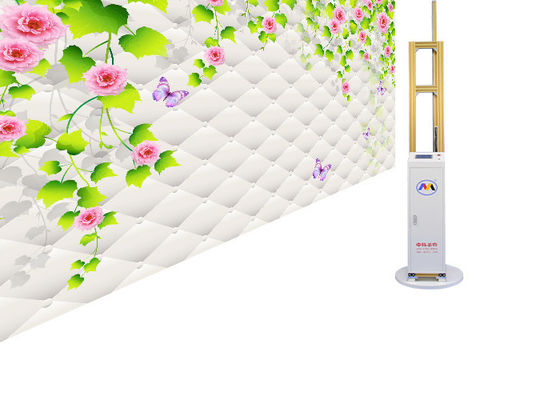
Factory direct product
Auto Wall Detection Vertical Wall Printer 2 Ultrasonic Sensors With 3d Effects. Model ZK-Q7PLUS. from Beijing, China.
Product specifications
Model identification
This platform lists the unit as an auto wall detection vertical wall printer equipped with two ultrasonic sensors and 3D effect output. The hard specification rows below are reproduced from the product listing on this page; they are the only model-specific values used in this module.
| Listing field | Recorded value |
|---|---|
| Product title | Auto Wall Detection Vertical Wall Printer 2 Ultrasonic Sensors With 3d Effects |
| Model Number | ZK-Q7PLUS |
| Brand Name | WallNova |
| Place of Origin | Beijing, China |
| Named sensing feature | Two ultrasonic sensors, automatic wall detection |
| Platform reference | 13580783 |
The engineering sections that follow describe general practice for direct-to-wall printing equipment and ultrasonic distance sensing. They are qualitative by design: no measured values, tolerances, or datasheet limits are asserted here because they are not part of the listing data. Our service team confirms the delivered configuration and its documentation before commissioning.
Engineering implementation guide
A direct-to-wall system behaves as one coupled chain: wall surface, sensing, motion, ink delivery and file preparation. Treat the following as the pre-installation design checklist for this class of equipment.
Ultrasonic ranging relies on a usable acoustic echo. Porous, heavily textured, soft or sound-absorbing finishes weaken the return signal. Verify the actual wall build-up on site and run a test strip on the same substrate before approving a full print.
Keep both sensor faces clean and unobstructed by rails, cables, protective film or masking. A two-sensor arrangement is normally used to keep the carriage parallel to the wall; confirm the standoff behaviour on the delivered unit during dry runs rather than assuming it from the product name.
The vertical column and rail assembly must be plumb, rigid and isolated from foot traffic and vibration. Level the base before aligning the carriage; mechanical sag or a soft floor shows up as banding and seam mismatch long before it appears as an electronic fault.
Provide a dedicated, correctly earthed supply and route sensor cabling away from variable-frequency drives, welders and high-current motor leads. Poor grounding and induced noise are common causes of intermittent distance readings that are otherwise misdiagnosed as sensor failure.
Confirm ink compatibility with the wall coating, retain a sample from each ink batch, and validate adhesion and colour on a test panel. Changing coating or ink supplier without re-qualification is a frequent source of colour drift and durability complaints.
Avoid strong air movement, airborne dust, direct sun on the sensing path and steep temperature gradients across the wall. Air turbulence and temperature layering affect the speed of sound and can bias ultrasonic distance readings.
Site survey checklist
| Check item | Why it matters | Acceptance note |
|---|---|---|
| Wall material, coating and porosity | Determines both ink adhesion and the quality of the ultrasonic echo. | Record the build-up and retain a test panel from the same wall. |
| Flatness, plumb and surface defects | Local steps, trims and corners interrupt sensing and carriage travel. | Mark protrusions and agree the printable boundary with the operator. |
| Clear working width and height | Rail travel, cable runs and operator access need unobstructed space. | Walk the full travel path with the carriage parked at both ends. |
| Floor level and load path | An uneven floor transfers directly into vertical alignment error. | Level and lock the base before any sensor calibration. |
| Supply, earthing and circuit isolation | Noise on the supply or a floating earth produces unstable readings. | Verify earthing continuity and keep high-power equipment on a separate circuit. |
| Ambient sources of ultrasound and airflow | Competing acoustic sources and draughts bias time-of-flight measurement. | Identify nearby equipment, HVAC outlets and open doors on the survey sheet. |
| Delivery route and handling | Rail and carriage assemblies are alignment-sensitive in transit. | Confirm access, lifting plan and a clean dry storage area before dispatch. |
| Artwork workflow | File resolution, colour profile and scaling are decided before printing. | Prepare a controlled test file for the acceptance print. |
Ultrasonic wall detection
Ultrasonic distance sensing measures the time between an emitted pulse and its echo. In a wall printer that reading is used to hold the print head at a consistent standoff from the surface. With two sensors, the pair can also indicate whether the carriage is drifting out of parallel with the wall. The following are general characteristics of this sensing method, not measured performance claims for this model.
| Condition | Effect on sensing | Recommended mitigation |
|---|---|---|
| Acoustically absorbent or open-cell surface | Weak or absent echo, intermittent distance lock. | Test the actual surface first; agree an alternative positioning method with our service team. |
| Strongly angled or grazing surface | Pulse is reflected away from the receiver. | Keep the sensor axis normal to the wall and re-check plumb alignment. |
| Glossy, glass or polished metal areas | Specular reflection and secondary echoes can produce false distances. | Mask or exclude such areas from the sensing path and validate with a dry run. |
| Strong airflow or temperature layering | Changes the effective speed of sound and biases the reading. | Close doors and isolate HVAC outlets during calibration and printing. |
| Nearby ultrasonic or high-frequency sources | Cross-talk produces sporadic outliers. | Identify and switch off competing sources during setup. |
| Dust, overspray or film on the sensor face | Attenuates both transmit and receive paths. | Add sensor-window cleaning to the daily start-up routine. |
Where a wall cannot provide a reliable echo, the practical answer is a site-specific setup agreed before printing, not a claimed sensor specification. Our service team reviews such surfaces during the survey.
Troubleshooting and FAQs
| Observed symptom | Likely cause | First action |
|---|---|---|
| Distance reading jumps or drops out | Weak echo, dirty sensor face, airflow, electrical noise or a cabling fault. | Clean the windows, remove draughts and nearby ultrasonic sources, check cable seating and earth, then repeat a dry run. |
| Local blur or uneven sharpness | Standoff drift, carriage not parallel, or an uneven wall region. | Re-level the base, verify plumb, re-run sensor calibration and re-test on a flat panel. |
| Visible seams between passes | Step alignment, rail contamination, vibration or an inconsistent feed. | Clean and inspect rails, check base stability, then reprint a controlled step test. |
| Inconsistent 3D effect rendering | Artwork scaling or profile mismatch, or variable standoff across the image. | Use one controlled test file, confirm colour profile and scaling, and verify the surface is uniform. |
| Banding or missing nozzles | Printhead state, ink supply, viscosity change or contamination. | Run the prescribed head check and cleaning routine, verify ink batch and supply, then repeat a nozzle test. |
| Colour shift after a consumable change | New ink batch or a different wall coating without re-qualification. | Re-run the colour and adhesion test panel and retain both batches for comparison. |
| Start-up self-check fails | Transport locks still engaged, cabling not seated, or an unstable supply. | Check mechanical locks and connections, confirm supply and earth, then power-cycle once before escalating. |
Commissioning and acceptance
Maintenance and consumables
| Area | Routine action | Trigger for action |
|---|---|---|
| Ultrasonic sensor windows | Wipe clean and confirm both faces are unobstructed. | Every start-up, and after any dusty or overspray-heavy work. |
| Rails and drive path | Remove dust and overspray, inspect for wear and re-check alignment. | Visible residue, new vibration, or recurring seam mismatch. |
| Printhead and ink path | Run the prescribed nozzle check and cleaning sequence, keep the head protected when idle. | Missing nozzles, banding, or a prolonged idle period. |
| Ink stock | Record batch numbers, retain a sample, and store sealed as directed by the supplier. | Any batch or supplier change. |
| Transport and storage | Engage transport locks, secure the carriage and protect sensor faces. | Every relocation or extended shutdown. |
| Documentation | Keep the survey, test panel and acceptance record with the machine. | Any service request or configuration change. |
Technical documentation
Select a view to open the enlarged viewer, then use Previous and Next or the arrow keys to move through the set. Each view is loaded from the image currently selected.
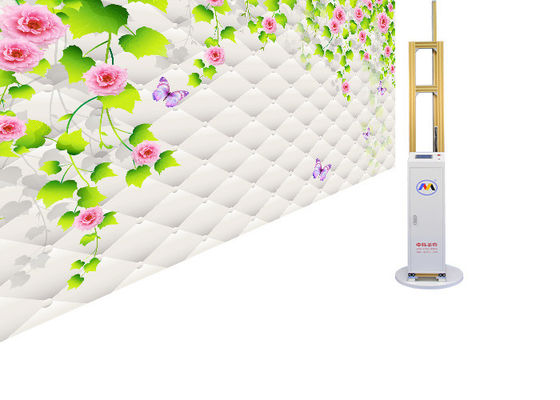


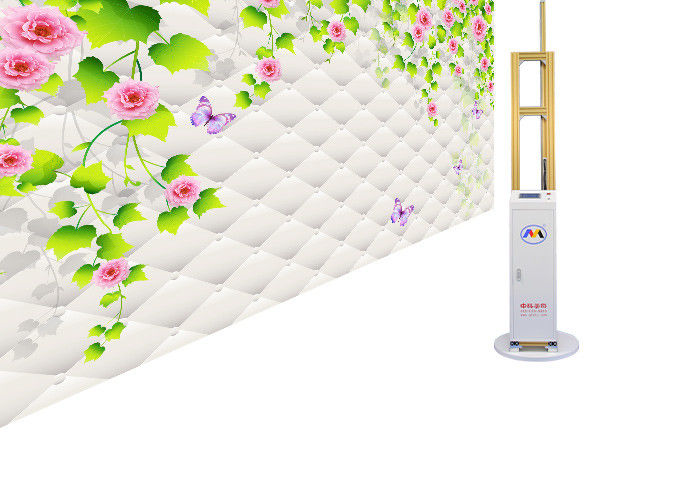
These views are drawn from the image set held on this platform for model reference 13580783. They illustrate the product; they are not a datasheet or a certificate.
Brand and manufacturer
WallNova is positioned on this platform as a digital wall printing technology manufacturer. The details below are the contact and identification data published by this platform.
Certification depends on the actual product model and target market. Our service team confirms the documentation and conformity requirements that apply to the delivered configuration and destination before an order is confirmed.
This platform and our service team
We confirm the ZK-Q7PLUS configuration, review the wall and site survey, clarify substrate and ink questions, and align the documentation required for the destination market.
We coordinate the commissioning sequence, sensor calibration, test panel sign-off and operator training described above.
We help diagnose sensing, motion and print-quality issues against the troubleshooting table, and advise on consumables and batch changes.
Use the inquiry form on this page to send your wall details, destination and intended application. You can also reach us at info@verticalwallprinter.com or 0755-2839 5787.
Direct from manufacturer

Direct from manufacturer
Direct from manufacturer